Watching DVD movies is a common way to have fun in entertaining time.
However, when you find your favorite movie DVDs are damaged or
scratched because of frequent usage, it is sad to see that.
So, how to avoid this terrible problem? Backup your favorite movie DVD on hard drive in advance is the best way.
Here are some tips for copying DVD on hard drive for free.
Yes, it is correct, backup DVD movies on hard drive for free.
DVDSmith Movie Backup ( Windows version / Mac version )
DVDSmith Movie Backup
is a free DVD movies backup software, supports copying DVD on hard
drive as DVD Folder (VOB files), then users could watch their favorite
movies on computer or Mac with media player software like VLC, freely
get rid of physical DVD discs.
Free of charge, and watch DVD movies on computer or Mac freely.
Interface of DVDSmith Movie Backup for Windows
DVDSmith Movie Backup for Mac
Features of DVDSmith Movie Backup
1. Decrypt movie DVDs copy protections and remove region codes
2. Copy DVD on hard drive as DVD Folder
3. Simple and user-friendly interface
The operation of DVDSmith Movie Backup is very easy. Launch the
program and insert DVD into DVD drive, choose full movie or main movie
for backup, then click “Start” button to begin the backup process.
When the copying process is done, the target folder with the VOB files will popup automatically. Use VLC player to play the DVD files on hard drive disc copied by DVDSmith Movie Backup
with success and you can free from the worry of DVDs get scratches or
damages and will be more convenient without physical DVD discs.
September 27, 2012
September 24, 2012
DVD to Windows Phone 8 Converter – Any DVD Cloner Platinum
How to convert DVD to Windows Phone for watching on the go freely?
The
easiest and the most convenient way is ripping encrypted movie DVD to videos
that supported by Windows Phone 8, MP4 is one of video formats that is
supported by all Windows Phone 8, as well as android and iOS smartphones. How
to convert movie DVD to MP4? All you need is a DVD to Windows Phone 8 Converter / DVD to MP4 Converter – Any DVDCloner Platinum is one of the best among thousands of converters searching
online. Any DVD Cloner Platinum is an all-in-one DVD to video converter with
various output devices options for users to select. Ripping DVD to MP4/M4V/MKV for playback on various mobile devices
including Windows Phone 8 devices, Android phones like Samsung Galaxy S2/s3 or iSO
idevices like iPhone, iPad or iPod, etc. is one of the most important
functions that Any DVD Cloner Platinum has. Besides, the software also enables
users to clone DVD to blank DVD disc or copy DVD on hard drive as DVD Folder or
ISO Image File.
Key features
of DVD to Windows Phone 8 Converter – Any DVD Cloner Platinum
Decrypt encrypted movie DVD copy protection such as CSS, RC,
RCE, APS, UOPs, ARccOS, etc.
Copy DVD on hard drive as DVD Folder or ISO Image File
Burn DVD to blank DVD disc
Burn DVD files including DVD Folder or ISO Image File from
hard drive to blank DVD disc
Convert DVD to Videos including MP4, MKV and M4V, more than 16
output devices options for selection, save users’ time and space on hard drive
with super fast processing speed.
How to
use DVD to Windows Phone 8 to convert DVD to videos for playback on Windows
Phone 8?
First:
download and install Any DVD Cloner Platinum (Windows Version/Mac Version)
Second: insert
DVD into DVD drive, launch DVD to Windows Phone 8 Converter, click Open DVD button to load DVD information
in the program
Third: go to
DVD Ripper panel, choose Normal as
output (if you find your device in the list, then just choose the device
directly, all will be set by default), you will see MP4 would be selected
automatically in Output Format. It means you will get a MP4 file for the movie
when the ripping process is done. When your device is not listed, feel free to
choose Normal or Classic as output option directly. It’s easy to change the output format among
MP4, M4V or MKV in Output Format. Make sure the output format is the one that
your device supports.
Fourth: click More Settings button if you like to
customize audio and video parameters for the output video file. Or you can just
leave them as default settings.
Fifth: check the titles that you want to rip
to video
Sixth: click Start button to start the ripping
process
Seventh: when
the ripping process is done, the folder saving the output video will popup
automatically. Transfer the video file
to your Windows Phone 8, then you can watch your favorite DVD movies with
Windows Phone 8 anytime without limitations.
September 19, 2012
Convert DVD to Nokia Lumia 920
Nokia Lumia 920:
1. PureView Camera - The new Lumia 920 is the first Windows Phone that will feature Nokia's PureView camera technology. The 8MP camera takes sharp images even in low light thanks to Carl Zeiss optics, a backlit image sensor, bright f2.0 aperture and using proprietary image processing algorithms.
2. Superb Smart Design
3. PureMotion HD+ Screen Display
4. OLED Display
5. Expandable Storage, a microSD card slot that supports up to 32GB cards
6. Colorful and Interchangeable Cases
7. Windows Phone 8 OS
8. Top Hardware Specs
9. Wireless Charging
10. Price and Availability
Convert DVD to Nokia Lumia 920 with Any DVD Cloner Platinum with a few clicks!
1. PureView Camera - The new Lumia 920 is the first Windows Phone that will feature Nokia's PureView camera technology. The 8MP camera takes sharp images even in low light thanks to Carl Zeiss optics, a backlit image sensor, bright f2.0 aperture and using proprietary image processing algorithms.
2. Superb Smart Design
3. PureMotion HD+ Screen Display
4. OLED Display
5. Expandable Storage, a microSD card slot that supports up to 32GB cards
6. Colorful and Interchangeable Cases
7. Windows Phone 8 OS
8. Top Hardware Specs
9. Wireless Charging
10. Price and Availability
Convert DVD to Nokia Lumia 920 with Any DVD Cloner Platinum with a few clicks!
September 17, 2012
Top Five Tablets 2012
Top five tablets are introduced here for your reference.
The new iPad
Google Nexus 7
Amazon Kindle Fire
popular thanks to their extreme portability, easy to use
interfaces and the wide range of ways they can be used. In many ways, they can almost
replace a laptop for someone on the go. Here introduce five top tablets that you may take into consideration if you plan to buy a new tablet in recent days!
Top five tablets are:
The new iPad
Google Nexus 7
Amazon Kindle Fire
Samsung Galaxy Tab 2 10.1
ASUS Transformer Pad Infinity TF700
The new iPad: (How to convert DVD to the new iPad with Any DVD Cloner Platinum?)
No doubt that it is the most famous tablet with its amazing retina screen and high resolution. The first tablet is iPad released by Apple and Apple always brings different creative products to us. A jaw-dropping Retina display, fast 4G LTE speeds, improved camera and an unbeatable selection of apps make the new iPad the best tablet, period.
Google Nexus 7 (How to convert DVD to Google Nexus 7 with Any DVD Cloner Platinum?)
The Nexus 7 is the best 7-inch tablet yet, combining fast quad-core performance, top-notch design and Google's smart Jelly Bean OS for an amazing price.
Amazon Kindle Fire
The Kindle Fire is the best value-priced tablet yet, offering easy access to loads of content and apps in a well-built design.
Samsung Galaxy Tab 2 10.1
A bright display, long battery life and a smart remote make Samsung's Galaxy Tab 2 10.1 a compelling and affordable choice.
ASUS Transformer Pad Infinity TF700
The ASUS Transformer Pad Infinity TF700's full HD screen, fast new quad-core processor and improved cameras make this the Android tablet to beat.
September 13, 2012
iPhone 5 vs Galaxy s3 vs iPhone 4S / Lumia 920
No doubt that iPhone 5 will become the most popular cell phone we will talk about. Till now, iPhone 5, iPhone 4S, Samsung Galaxy S3 and Nokia Lumia 920 are counted as the most ultimate cellphone we can talk about. Above sheet is a brief but key comparison for those who can read and help to decide!
Seven key features for iPhone 5 and actually, we can find previous leaking information are correct. Therefore, we do not have much surprise about this new iPhone…Anyway, can not deny it is a great cellphone, just a little boring.
Wanna watch DVD on Samsung Galaxy S3?
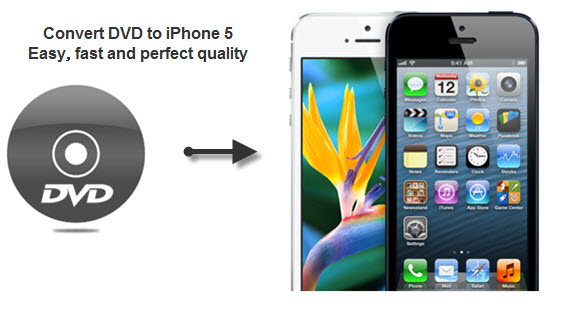
Wanna watch DVD on iPhone 5? You need a DVD to iPhone 5 converter, and it is named Any DVD Cloner Platinum.
How to convert DVD to videos for playback on mobile devices freely?
Key note for iPhone 5:
4-inch 326ppi retina screen
lightest iphone
A6 chip
8 million carema and supports 1080P video recorder
4G LTE network
8-pin connector
iOS 6
iPhone 5 is finally told and confirm previous rumours are proved they are true. This new iPhone is still with extraordinary and unique features including 4-inch and higher resolution screen, new and faster A6 chip, supports LTE network with amazing downloading speed, lighter and thinner in design and weight.
Errrr…how to say? Yes, it is completely an extraordinary product again from Apple .Inc. also it is utterly boring. Not that surprised, not that creative, compared to that time when iPhone 4 was introduced.
Anyway, iPhone 5 will be sold in a good way still as it is still a fantastic cell phone with extraordinary and unique and much better features than any other mobile phones.
September 11, 2012
Tips for ripping movie DVD to video for playback on mobile devices – Any DVD Cloner Platinum
Ripping DVD to three video formats including MP4, M4V and MKV is Any DVD Cloner Platinum another important function.
Current popular mobile devices like iPhone, iPad, iPod, Samsung Galaxy S2/S3 etc, it would be more convenient to watch movies with various portable devices.
Not only a simple DVD to video conversion tool, Any DVD Cloner Platinum but also a powerful DVD to DVD cloning software, also supports copying DVD on hard drive as DVD Folder or ISO Image File.
How to use Any DVD Cloner Platinum to convert DVD to videos for playback on mobile devices?
1. Download Any DVD Cloner Platinum latest version and install on PC ( For Mac users, please go to Any DVD Cloner Platinum for Mac)
2. Launch the program and insert DVD into DVD drive, then click “Open DVD” to load DVD information in the program

3. Go to “DVD Ripper” panel, choose your output mobile device in the list, if your mobile device is not an option in the list, then just choose “Normal” and then you can see”MP4” would be selected by default in “Target output”.
It is known that MP4 is the most widely used video format and it is supported by almost all mobile devices, therefore, MP4 file could be played without problem.
What is MP4? (copied from Wikiepedia)
MPEG-4 Part 14 or MP4 (formally ISO/IEC 14496-14:2003) is a multimedia container format standard specified as a part of MPEG-4. It is most commonly used to store digital video and digital audio streams, especially those defined by MPEG, but can also be used to store other data such as subtitles and still images. Like most modern container formats, MPEG-4 Part 14 allows streaming over the Internet. A separate hint track is used to include streaming information in the file. The only official filename extension for MPEG-4 Part 14 files is .mp4.
Some devices advertised as “MP4 Players” are simply MP3 Players that also play AMV video or some other video format, and do not necessarily play the MPEG-4 part 14 format.
4. Click “More settings” to customize video, audio and picture parameters for making a perfect output video to play on your mobile devices.
Tips: Default settings are for best output as tested. Users actually no need to change any video, audio or picture parameters.
5. Once the ripping process is done, the target folder will popup automatically. Users can see the video file is selected meanwhile. Transfer or synchronize the file to mobile device, then freely watch your favourite movies with handy products, convenient, free and without limitations! Any DVD Cloner Platinum can help to complete in a perfect way!
Current popular mobile devices like iPhone, iPad, iPod, Samsung Galaxy S2/S3 etc, it would be more convenient to watch movies with various portable devices.
Not only a simple DVD to video conversion tool, Any DVD Cloner Platinum but also a powerful DVD to DVD cloning software, also supports copying DVD on hard drive as DVD Folder or ISO Image File.
How to use Any DVD Cloner Platinum to convert DVD to videos for playback on mobile devices?
1. Download Any DVD Cloner Platinum latest version and install on PC ( For Mac users, please go to Any DVD Cloner Platinum for Mac)
2. Launch the program and insert DVD into DVD drive, then click “Open DVD” to load DVD information in the program
3. Go to “DVD Ripper” panel, choose your output mobile device in the list, if your mobile device is not an option in the list, then just choose “Normal” and then you can see”MP4” would be selected by default in “Target output”.
It is known that MP4 is the most widely used video format and it is supported by almost all mobile devices, therefore, MP4 file could be played without problem.
What is MP4? (copied from Wikiepedia)
MPEG-4 Part 14 or MP4 (formally ISO/IEC 14496-14:2003) is a multimedia container format standard specified as a part of MPEG-4. It is most commonly used to store digital video and digital audio streams, especially those defined by MPEG, but can also be used to store other data such as subtitles and still images. Like most modern container formats, MPEG-4 Part 14 allows streaming over the Internet. A separate hint track is used to include streaming information in the file. The only official filename extension for MPEG-4 Part 14 files is .mp4.
Some devices advertised as “MP4 Players” are simply MP3 Players that also play AMV video or some other video format, and do not necessarily play the MPEG-4 part 14 format.
4. Click “More settings” to customize video, audio and picture parameters for making a perfect output video to play on your mobile devices.
Tips: Default settings are for best output as tested. Users actually no need to change any video, audio or picture parameters.
5. Once the ripping process is done, the target folder will popup automatically. Users can see the video file is selected meanwhile. Transfer or synchronize the file to mobile device, then freely watch your favourite movies with handy products, convenient, free and without limitations! Any DVD Cloner Platinum can help to complete in a perfect way!
Subscribe to:
Comments (Atom)